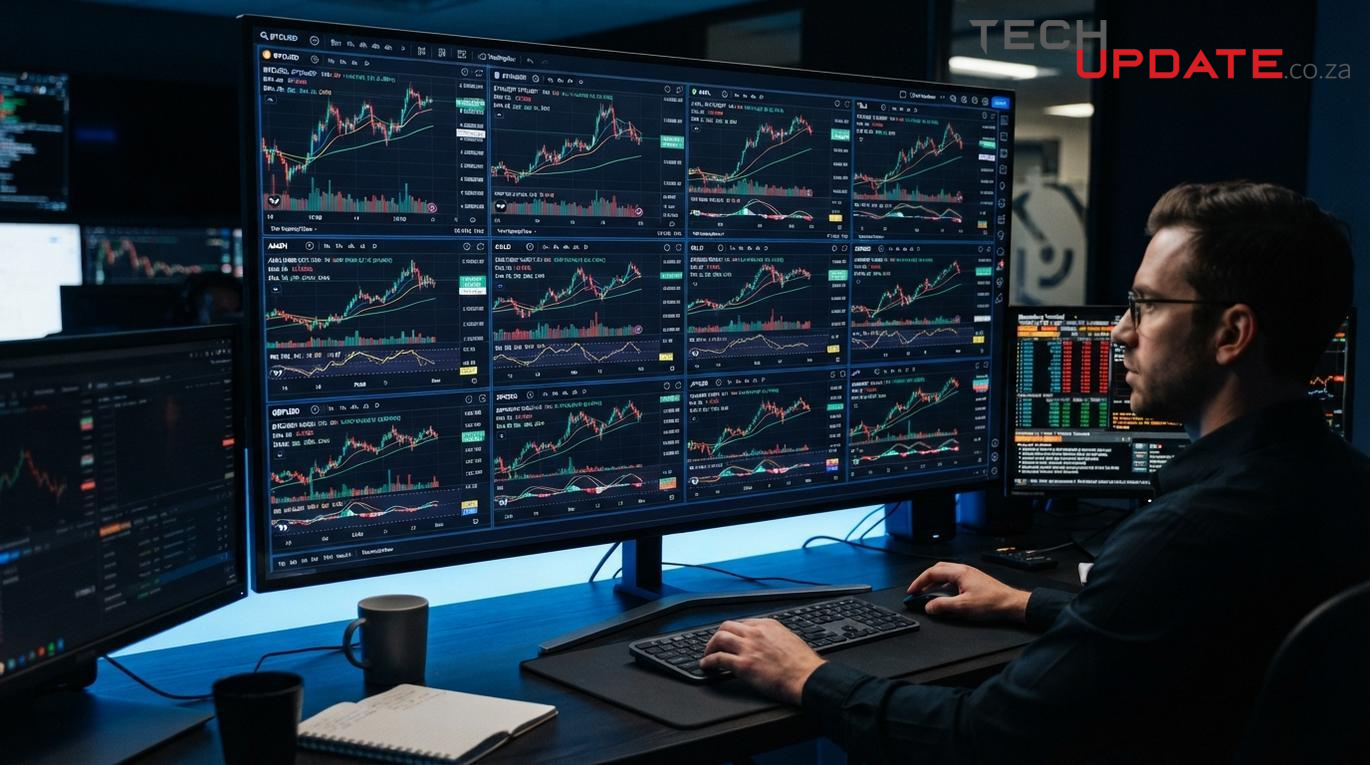
Multi Trading Charts Review: The Ultimate Free 4x4 TradingView Grid Layout Tool
Published on Let's Chat Crypto — Your trusted workspace for efficient technical analysis.
For crypto day traders, scalpers, and technical analysts, screen real estate is everything. Watching Bitcoin ($BTC$) make a sudden move means you instantly need to know what Ethereum ($ETH$), Solana, and the broader macro indices are doing simultaneously.
Unfortunately, standard charting platforms lock premium multi-chart grids behind expensive monthly subscriptions. Paying premium rates just to look at more than one chart layout at a time cuts directly into a retail trader's liquid capital.
Enter Multi Trading Charts (https://multitradingcharts.com/), a 100% free, browser-based workspace that embeds professional-grade, custom TradingView layout grids without requiring a paid subscription or an account login. In this deep dive, we explore how this decentralized grid platform elevates cross-market crypto and forex analysis.
What is Multi Trading Charts?
Multi Trading Charts is a responsive, web-based dashboard engineered by the Appzilla Team. It allows traders to stream, view, and monitor up to 16 live charts simultaneously across an dynamic layout framework. Powered under the hood by official TradingView widgets, the platform bridges the gap between high-end terminal utilities and retail accessibility.
Platform Matrix Overview
| Feature Category | Platform Specification |
|---|---|
| Pricing Model | $0 (100% Free, No Hidden Subscription Fees) |
| Account Requirements | None (Instant browser deployment with no login/registration) |
| Maximum Layout Grid | Up to ∞ (no limits) independent windows (4x4 Grid Matrix) |
| Supported Financial Markets | Crypto (Spot/Futures), Stocks (NYSE/NASDAQ), Forex, Global Indices, Commodities |
| Core UI Engine | TradingView Embed Ecosystem |
Key Features of Multi Trading Charts
1. Flexible Grid Layouts (From 2x2 to 4x4)
The core value proposition of Multi Trading Charts is its highly responsive grid matrix configuration. Instead of straining hardware with dozens of open browser tabs, users can compartmentalize a single screen space:
- Versatile Grid Alignments: Supports a simple dual split (2x1), classic quadrant layout (2x2), advanced matrix fields (3x3), all the way to macro institutional monitoring windows (4x4).
- Modular Add/Remove Mechanics: Insert new ticker streams or instantly collapse old viewports via localized anchor buttons built into each window frame.
2. Multi-Timeframe and Multi-Asset Versatility
Because the underlying data links directly into comprehensive real-time feeds, cryptocurrency market participants can cross-analyze highly correlated instruments seamlessly:
- Macro to Micro Breakdown: Keep eyes on BTC/USDT structural trends by displaying Daily, 4-Hour, 1-Hour, and 15-Minute candles side-by-side.
- Macro Correlation Tracking: Dedicate quadrant slots to Bitcoin ($BTC$) and Ethereum ($ETH$), while assigning the remaining grids to tracking the DXY (US Dollar Index) and the S&P 500 to catch instant liquidity rotations.
3. Built-in Smart Search & Dynamic Symbol Fetching
The platform eliminates the technical chore of editing iframe codes manually. Thanks to an integrated Smart Symbol Search Popup, users click the input field, type their desired asset ticker (e.g., BTCUSDT, ETHUSDT, or EURUSD), search the asset index, and deploy it to their grid instantly.
4. Native Dark Mode & Individual Controls
Crypto operations run 24/7, meaning visual preservation is necessary during overnight volatility spikes. The dashboard comes equipped with a native Dark Mode toggle that restyles the entire layout to a sleek, eye-strain-reducing true black aesthetic. Additionally, each independent viewport contains rapid shortcuts to scale a chart to "Fullscreen" and back down instantly.
How to Set Up Your Multi-Chart Crypto Cockpit
Configuring a dedicated multi-market workflow on the platform takes under a minute:
- Launch the Platform: Navigate directly to https://multitradingcharts.com/home.
- Configure the Columns & Rows: Use the browser inputs to type or pick your perfect viewport layout density.
- Populate Assets: Click into an active grid field, open the search modal, and pull your designated crypto trading pairs into place.
- Optimize Vision: Click the dark theme button for cleaner contrast during charting sessions.
The Let's Chat Crypto Verdict: Multi Trading Charts cuts out subscription walls completely for multi-view setups. For active day traders analyzing order book assets, structural movements, or global correlations across the board, it offers a fast, zero-cost, and private configuration baseline.
Frequently Asked Questions
How do I view multiple TradingView charts on one screen for free?
You can use the multi-chart dashboard at Multi Trading Charts. The web application allows users to build grid structures up to a 4x4 matrix, allowing for 16 and more ∞ (no limits) separate live TradingView charts to run simultaneously inside a single browser tab without paying for premium subscription packages.
Which crypto pairs can be tracked on Multi Trading Charts?
The application can fetch any asset available inside the TradingView aggregate database. This covers major cryptocurrencies such as Bitcoin ($BTC/USDT$), Ethereum ($ETH/USDT$), and layer-1 altcoins along with traditional spot forex pairs and global indices.
Is a login or registration required to use Multi Trading Charts?
No account creation, wallet linking, or email signup is requested. The tool functions instantly upon loading, keeping user data profile-free while storing default platform parameters right inside the browser window context.
Summary
Multi Trading Charts stands as a compelling solution for traders who require extensive multi-chart capabilities without the burden of subscription fees. Its robust integration with TradingView, coupled with a highly intuitive, browser-based interface, provides a powerful and private analytical environment. For active day traders, scalpers, and technical analysts who prioritize comprehensive market oversight and cross-asset correlation tracking, this free utility offers an indispensable foundation for informed decision-making.
Resources
- Multi Trading Charts: https://multitradingcharts.com/
- Let's Chat Crypto: https://letschatcrypto.com/post/view?code=UXrZfrRbHe (Publisher of this article's brief)
- Appzilla Team: Developers of Multi Trading Charts (as mentioned on the platform's introductory information).



 }})




Comment