Samsung Galaxy S26: A Dedicated Camera Button on the Horizon?
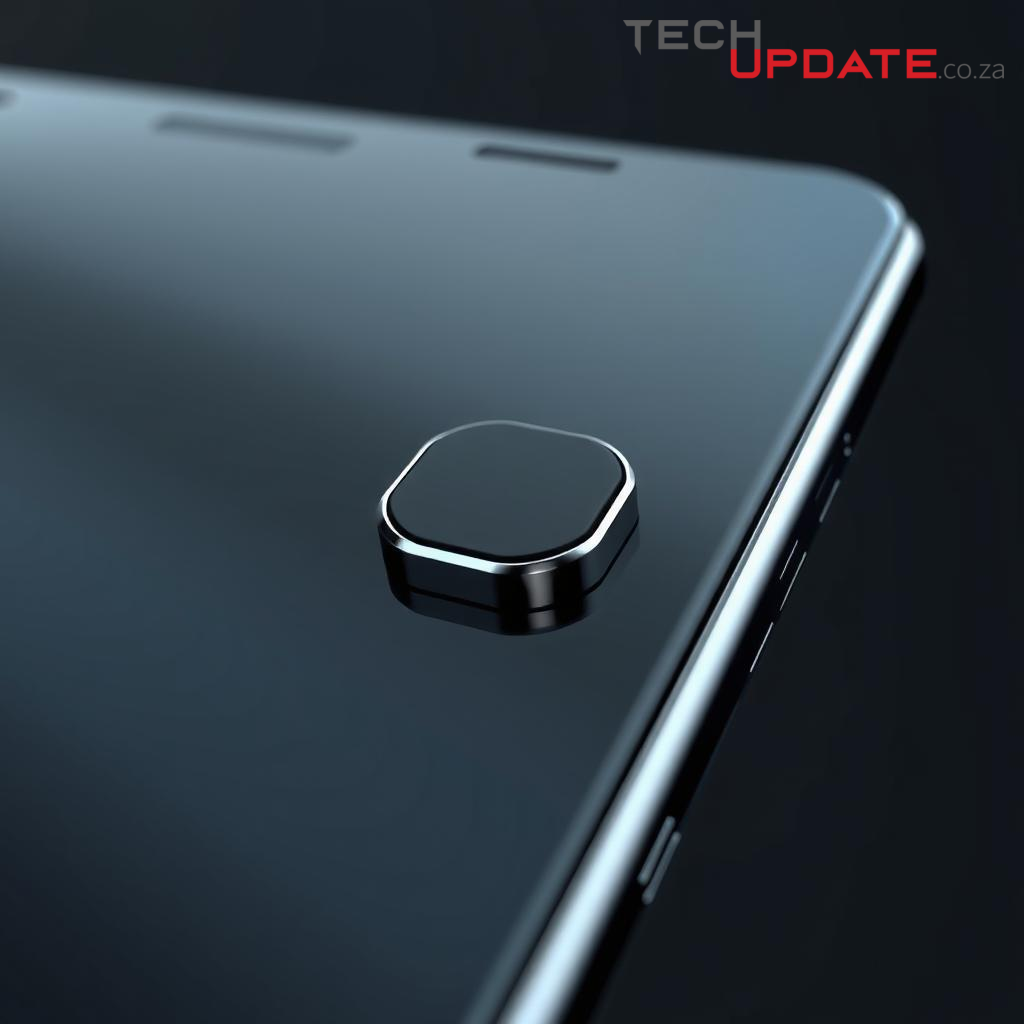
A Tangible Click for the Galaxy S26?
Reports from Samsung's supply chain partners indicate the South Korean tech giant may be exploring the integration of a dedicated camera button for its upcoming Galaxy S26 series. This development, if realized, would mark a significant design and functional shift for Samsung's flagship line, potentially aligning it with a user experience championed by competitors and long-desired by photography enthusiasts.
The Return of Tactile Control
While a staple on many feature phones and a brief feature on some early smartphones, a dedicated physical camera button has become a rarity on high-end Android devices, with a few notable exceptions like Sony's Xperia line. The rumor suggests a design akin to Apple's "Action Button" on the iPhone 15 Pro models, which is customizable but often defaults to camera access. For Samsung, this could mean a return to a more tactile and intuitive method for capturing moments, offering a distinct advantage over relying solely on screen taps or volume rockers.
Potential User Experience Enhancements
A dedicated camera button offers several compelling benefits. Firstly, it provides a quicker launch mechanism for the camera application, potentially shaving off precious seconds in spontaneous photo opportunities. Secondly, it can enhance ergonomics, allowing for a more stable grip, particularly in landscape orientation, minimizing camera shake. Lastly, a physical button often offers a more satisfying feedback loop, replicating the shutter click experience of traditional cameras. For a brand that heavily emphasizes its camera capabilities, this could be a strategic move to elevate the user experience beyond software algorithms alone.
Market Implications and Design Philosophy
Should Samsung proceed with this design, it would signal a responsiveness to user feedback and a willingness to iterate on hardware design in meaningful ways. In a saturated smartphone market where differentiation is increasingly challenging, even subtle hardware changes can have a significant impact on consumer perception and usability. Integrating such a button would require careful consideration of its placement, functionality (e.g., half-press for focus, full-press for capture), and how it complements Samsung's existing software features like Quick Launch. It also raises questions about whether this would be a standard feature across all S26 models or exclusive to the Ultra variant, further segmenting the product line.
Summary
The prospect of a dedicated camera button on the Samsung Galaxy S26 series presents an intriguing development. It suggests Samsung is evaluating ways to enhance the physical interaction with its camera hardware, potentially offering users quicker access, improved ergonomics, and a more satisfying photographic experience. While still within the realm of speculation, such a feature could redefine the mobile photography experience for Galaxy users and subtly shift Samsung's design philosophy towards greater tactile integration.
Resources
Details
Author
Top articles




 }})
You can now watch HBO Max for $10
Latest articles





You can now watch HBO Max for $10
A Tangible Click for the Galaxy S26?
Reports from Samsung's supply chain partners indicate the South Korean tech giant may be exploring the integration of a dedicated camera button for its upcoming Galaxy S26 series. This development, if realized, would mark a significant design and functional shift for Samsung's flagship line, potentially aligning it with a user experience championed by competitors and long-desired by photography enthusiasts.
The Return of Tactile Control
While a staple on many feature phones and a brief feature on some early smartphones, a dedicated physical camera button has become a rarity on high-end Android devices, with a few notable exceptions like Sony's Xperia line. The rumor suggests a design akin to Apple's "Action Button" on the iPhone 15 Pro models, which is customizable but often defaults to camera access. For Samsung, this could mean a return to a more tactile and intuitive method for capturing moments, offering a distinct advantage over relying solely on screen taps or volume rockers.
Potential User Experience Enhancements
A dedicated camera button offers several compelling benefits. Firstly, it provides a quicker launch mechanism for the camera application, potentially shaving off precious seconds in spontaneous photo opportunities. Secondly, it can enhance ergonomics, allowing for a more stable grip, particularly in landscape orientation, minimizing camera shake. Lastly, a physical button often offers a more satisfying feedback loop, replicating the shutter click experience of traditional cameras. For a brand that heavily emphasizes its camera capabilities, this could be a strategic move to elevate the user experience beyond software algorithms alone.
Market Implications and Design Philosophy
Should Samsung proceed with this design, it would signal a responsiveness to user feedback and a willingness to iterate on hardware design in meaningful ways. In a saturated smartphone market where differentiation is increasingly challenging, even subtle hardware changes can have a significant impact on consumer perception and usability. Integrating such a button would require careful consideration of its placement, functionality (e.g., half-press for focus, full-press for capture), and how it complements Samsung's existing software features like Quick Launch. It also raises questions about whether this would be a standard feature across all S26 models or exclusive to the Ultra variant, further segmenting the product line.
Summary
The prospect of a dedicated camera button on the Samsung Galaxy S26 series presents an intriguing development. It suggests Samsung is evaluating ways to enhance the physical interaction with its camera hardware, potentially offering users quicker access, improved ergonomics, and a more satisfying photographic experience. While still within the realm of speculation, such a feature could redefine the mobile photography experience for Galaxy users and subtly shift Samsung's design philosophy towards greater tactile integration.
Resources
Top articles
You can now watch HBO Max for $10
Latest articles
You can now watch HBO Max for $10
Similar posts


This is a page that only logged-in people can visit. Don't you feel special? Try clicking on a button below to do some things you can't do when you're logged out.
Example modal
At your leisure, please peruse this excerpt from a whale of a tale.
Chapter 1: Loomings.
Call me Ishmael. Some years ago—never mind how long precisely—having little or no money in my purse, and nothing particular to interest me on shore, I thought I would sail about a little and see the watery part of the world. It is a way I have of driving off the spleen and regulating the circulation. Whenever I find myself growing grim about the mouth; whenever it is a damp, drizzly November in my soul; whenever I find myself involuntarily pausing before coffin warehouses, and bringing up the rear of every funeral I meet; and especially whenever my hypos get such an upper hand of me, that it requires a strong moral principle to prevent me from deliberately stepping into the street, and methodically knocking people's hats off—then, I account it high time to get to sea as soon as I can. This is my substitute for pistol and ball. With a philosophical flourish Cato throws himself upon his sword; I quietly take to the ship. There is nothing surprising in this. If they but knew it, almost all men in their degree, some time or other, cherish very nearly the same feelings towards the ocean with me.
Comment