Android 16: Anticipating a More Dynamic Interface with 'Jiggly' Folder Animations
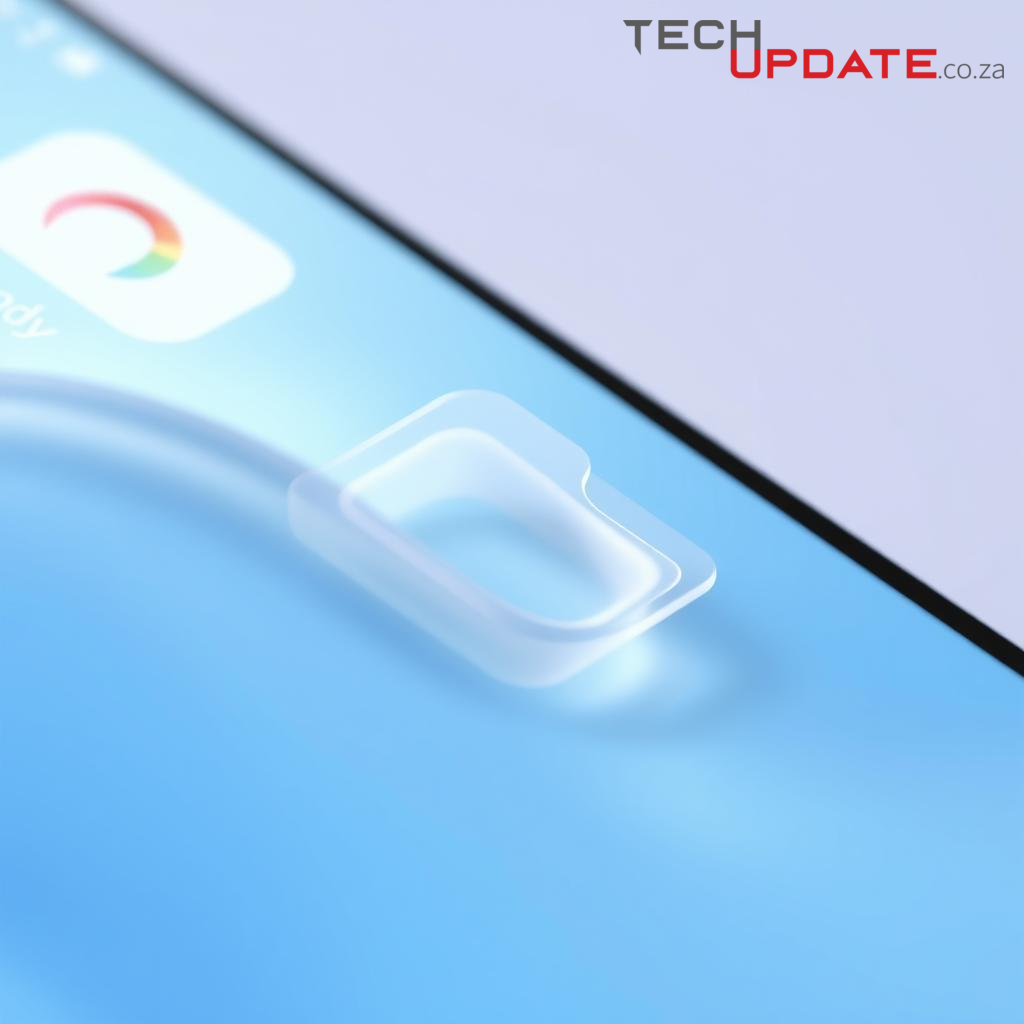
As digital interfaces continue their relentless march towards more intuitive and engaging user experiences, the subtle nuances of interaction become paramount. While "Android 16" remains a prospective iteration in Google's mobile operating system lineage, insights into evolving design philosophies suggest a future where even the most mundane UI elements receive a touch of dynamic flair. One such anticipated enhancement points to a more responsive and tactile experience for home screen folders, colloquially referred to as "jiggly" animations.
The "Jiggly" Effect: A Deeper Dive into Folder Dynamics
The concept of "jiggly" folders in a future Android release signifies a departure from static or purely linear animations, embracing physics-based motion to convey a heightened sense of interactivity. Imagine tapping on a folder, and instead of merely expanding, its contents subtly spring forth with an elastic bounce, perhaps even exhibiting a slight wobble as it settles. This animation style would likely employ principles of spring dynamics, where elements respond to input with an initial overshoot and a subsequent gentle oscillation before reaching their final state.
This dynamic response would not only apply to the act of opening but could also be observed when closing folders, or even when dragging them across the home screen. The goal is to imbue the interface with a tangible quality, making interactions feel less like manipulating pixels and more like interacting with physical objects that possess momentum and elasticity.
Enhancing User Experience Through Subtle Motion
Such refined animations, while seemingly minor, contribute significantly to the overall user experience. They provide immediate and satisfying visual feedback, confirming that an interaction has been registered. This clarity reduces cognitive load and makes the interface feel more fluid and less prone to user error. Moreover, these subtle movements add a layer of delight and polish, transforming routine interactions into more engaging moments. By making the interface feel alive and responsive, Google aims to reduce the perceived latency of actions, creating a smoother and more seamless journey for the user.
The Technical Canvas: Physics-Based Animation
Achieving these sophisticated animations typically involves leveraging advanced animation frameworks within Android, often utilizing physics-based animation APIs. These APIs allow developers to define properties like damping, stiffness, and friction, enabling UI elements to react in a manner consistent with real-world physics. The challenge lies in optimizing these animations for performance, ensuring they remain buttery smooth across a diverse range of devices without draining battery life or introducing stutters.
Summary
The anticipation of "jiggly" folder animations in future Android versions, such as a conceptual Android 16, underscores a broader commitment to refining the mobile user interface. By integrating more dynamic, physics-driven motion into fundamental interactions, Google continues to push the boundaries of digital tactile feedback. These small, deliberate enhancements collectively contribute to a more intuitive, engaging, and polished user experience, signalling a future where every tap and swipe feels thoughtfully crafted.
Resources
- Android Developers: Motion Design Principles
- Material Design: Understanding Motion
- Android Police (for reporting on Android UI developments)
Details
Author
Top articles




 }})
You can now watch HBO Max for $10
Latest articles



You can now watch HBO Max for $10
As digital interfaces continue their relentless march towards more intuitive and engaging user experiences, the subtle nuances of interaction become paramount. While "Android 16" remains a prospective iteration in Google's mobile operating system lineage, insights into evolving design philosophies suggest a future where even the most mundane UI elements receive a touch of dynamic flair. One such anticipated enhancement points to a more responsive and tactile experience for home screen folders, colloquially referred to as "jiggly" animations.
The "Jiggly" Effect: A Deeper Dive into Folder Dynamics
The concept of "jiggly" folders in a future Android release signifies a departure from static or purely linear animations, embracing physics-based motion to convey a heightened sense of interactivity. Imagine tapping on a folder, and instead of merely expanding, its contents subtly spring forth with an elastic bounce, perhaps even exhibiting a slight wobble as it settles. This animation style would likely employ principles of spring dynamics, where elements respond to input with an initial overshoot and a subsequent gentle oscillation before reaching their final state.
This dynamic response would not only apply to the act of opening but could also be observed when closing folders, or even when dragging them across the home screen. The goal is to imbue the interface with a tangible quality, making interactions feel less like manipulating pixels and more like interacting with physical objects that possess momentum and elasticity.
Enhancing User Experience Through Subtle Motion
Such refined animations, while seemingly minor, contribute significantly to the overall user experience. They provide immediate and satisfying visual feedback, confirming that an interaction has been registered. This clarity reduces cognitive load and makes the interface feel more fluid and less prone to user error. Moreover, these subtle movements add a layer of delight and polish, transforming routine interactions into more engaging moments. By making the interface feel alive and responsive, Google aims to reduce the perceived latency of actions, creating a smoother and more seamless journey for the user.
The Technical Canvas: Physics-Based Animation
Achieving these sophisticated animations typically involves leveraging advanced animation frameworks within Android, often utilizing physics-based animation APIs. These APIs allow developers to define properties like damping, stiffness, and friction, enabling UI elements to react in a manner consistent with real-world physics. The challenge lies in optimizing these animations for performance, ensuring they remain buttery smooth across a diverse range of devices without draining battery life or introducing stutters.
Summary
The anticipation of "jiggly" folder animations in future Android versions, such as a conceptual Android 16, underscores a broader commitment to refining the mobile user interface. By integrating more dynamic, physics-driven motion into fundamental interactions, Google continues to push the boundaries of digital tactile feedback. These small, deliberate enhancements collectively contribute to a more intuitive, engaging, and polished user experience, signalling a future where every tap and swipe feels thoughtfully crafted.
Resources
- Android Developers: Motion Design Principles
- Material Design: Understanding Motion
- Android Police (for reporting on Android UI developments)
Top articles
You can now watch HBO Max for $10
Latest articles
You can now watch HBO Max for $10
Similar posts

This is a page that only logged-in people can visit. Don't you feel special? Try clicking on a button below to do some things you can't do when you're logged out.
Example modal
At your leisure, please peruse this excerpt from a whale of a tale.
Chapter 1: Loomings.
Call me Ishmael. Some years ago—never mind how long precisely—having little or no money in my purse, and nothing particular to interest me on shore, I thought I would sail about a little and see the watery part of the world. It is a way I have of driving off the spleen and regulating the circulation. Whenever I find myself growing grim about the mouth; whenever it is a damp, drizzly November in my soul; whenever I find myself involuntarily pausing before coffin warehouses, and bringing up the rear of every funeral I meet; and especially whenever my hypos get such an upper hand of me, that it requires a strong moral principle to prevent me from deliberately stepping into the street, and methodically knocking people's hats off—then, I account it high time to get to sea as soon as I can. This is my substitute for pistol and ball. With a philosophical flourish Cato throws himself upon his sword; I quietly take to the ship. There is nothing surprising in this. If they but knew it, almost all men in their degree, some time or other, cherish very nearly the same feelings towards the ocean with me.
Comment